 sales@wildnetedge.com
 +1 (212) 901 8616
 +1 (437) 225-7733
















































































































 ChatGPT Development & Enablement
  Hire AI & ChatGPT Experts
  ChatGPT Apps by Industry
  ChatGPT Blog
  ChatGPT Case study
  AI Development Services
  Industry AI Solutions
  AI Consulting & Research
  Automation & Intelligence





TL;DR
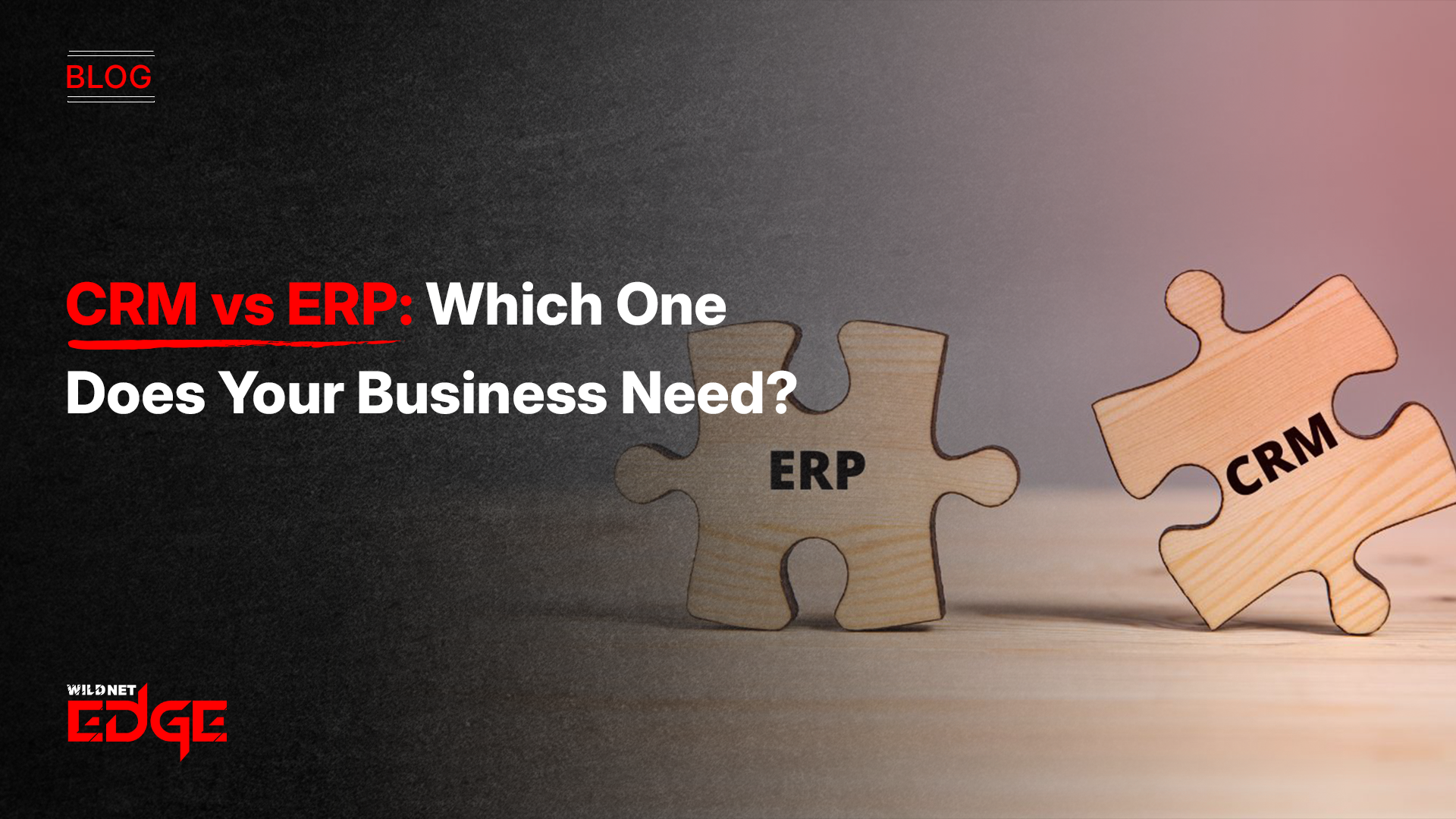
Choosing between CRM vs ERP depends on what your business needs most right now, more revenue or more efficiency. A CRM helps sales, marketing, and service teams grow the customer base and improve relationships. An ERP helps finance, operations, inventory, and HR teams streamline processes, reduce errors, and scale efficiently. This guide explains the difference between CRM and ERP, compares features, outlines CRM & ERP benefits, and provides a practical framework for enterprise software selection in 2026. By the end, you’ll know whether your business should invest in a CRM, an ERP, or both.
Many businesses mix up CRM and ERP because both are “business management systems,” but they solve completely different problems. That’s why understanding CRM vs ERP is essential before making an investment. A CRM focuses on growing your business, bringing in leads, nurturing customers, and helping your sales team close more deals. An ERP focuses on running your business, managing finance, inventory, HR, supply chain, and operations with accuracy and automation.
If your teams are juggling spreadsheets, missing sales opportunities, or dealing with operational bottlenecks, then choosing the right system becomes critical. This guide breaks down the CRM vs ERP comparison in simple terms, helping you choose what will deliver the biggest impact.
Defining the Contenders
To navigate the CRM vs ERP decision, we must first establish clear definitions that go beyond the acronyms.
What is a CRM? (The Growth Engine)
A CRM or Customer Relationship Management manages every customer touchpoint, leads, deals, calls, emails, marketing campaigns, and support tickets.
Core CRM capabilities include:
- Lead and pipeline management
- Sales forecasting
- Marketing automation
- Customer service workflows
- 360° customer history
If customer relationships drive your business, a CRM becomes your central command center.
What is an ERP? (The Operational Brain)
An ERP, or Enterprise Resource Planning, is a system that connects financials, inventory, HR, procurement, supply chain, and production into one platform.
Core ERP capabilities include:
- Accounting and financials
- Inventory and warehouse management
- Procurement and purchase orders
- Manufacturing and production planning
- HR, payroll, and compliance
If your operations are complex and you need accuracy and control, an ERP is essential.
The Core Difference Between CRM and ERP
While there is some functional overlap, particularly in modern suites, the core distinction lies in their objective and primary user base.
| Category | CRM (Customer Relationship Management) | ERP (Enterprise Resource Planning) |
| Primary Focus | Revenue growth, improving customer relationships, and increasing sales | Cost reduction, operational efficiency, and resource management |
| Core Objective | Acquire, engage, and retain customers | Manage finances, inventory, operations, and back-office processes |
| Primary Users | Sales teams, marketing, customer service, and account managers | Finance teams, HR, operations, supply chain, manufacturing |
| Data Type | Unstructured or semi-structured data (emails, notes, interactions, activities) | Fully structured, transactional data (invoices, inventory, payroll, GL entries) |
| Main Functions | Pipeline management, lead tracking, marketing automation, and customer support | Financials, inventory control, production planning, procurement, payroll |
| Business Goal | Increase revenue and customer lifetime value | Reduce operational costs and improve process efficiency |
| Visibility Provided | Real-time deal progress, customer behavior insights, sales forecasts | Real-time profitability, stock levels, cost of goods, and resource allocation |
| Time Horizon | Future-facing (forecasting, customer growth, upcoming deals) | Present & past-facing (financials, compliance, operational accuracy) |
| Workflow Style | Flexible, fast-paced, customer-centric | Rigid, process-driven, compliance-heavy |
| AI Use Cases | Lead scoring, predictive sales, personalized recommendations | Demand forecasting, inventory optimization, and financial pattern detection |
| Integration Needs | Marketing tools, email systems, call tracking, website analytics | Financial systems, inventory tools, warehouses, HR platforms |
| System Complexity | Generally simpler; easier to implement | More complex, deeper configuration required across departments |
| Implementation Timeline | Weeks to a few months | Several months to a year, depending on modules |
| Implementation Cost | Lower cost; typically per user, per month | Higher cost; pricing based on modules, users, and customization |
| Scalability | Scales with sales team size and customer base | Scales with business processes, facilities, and operational volume |
| Reporting Strength | Sales forecasts, customer segmentation, campaign performance | Financial statements, supply chain reports, and cost analysis |
| Ideal For | Businesses focused on sales growth and customer management | Businesses with complex operations, inventory, and financial needs |
| Dependency Risk | Low CRM rarely disrupts the entire business if issues occur | High ERP downtime affects production, payroll, inventory, and finance |
| Examples | Salesforce, HubSpot, Zoho CRM, Pipedrive | SAP, Oracle ERP, NetSuite, Microsoft Dynamics 365 ERP |
Deep Dive: The Role of CRM in 2026
Modern CRMs are far more advanced than they were a few years ago.
With AI built in, they help teams work smarter, not harder.
Key CRM capabilities today:
- Real-time pipeline visibility
- Accurate sales forecasting
- Marketing automation (emails, journeys, triggers)
- Customer retention insights
- Personalized selling using AI
A CRM ensures no lead gets lost and every customer interaction adds value. For companies focused on aggressive growth, partnering with CRM development services to build a tailored solution often yields a higher ROI than generic off-the-shelf tools.
Deep Dive: The Role of ERP in 2026
ERPs have become more flexible, cloud-based, and scalable.
They unify all operational data so departments never work in silos.
Key ERP capabilities today:
- Complete financial automation
- Inventory accuracy across warehouses
- Supply chain visibility
- Project and resource management
- Human capital management and payroll
Because ERPs touch every part of the business, most companies rely on an ERP development company to configure modules and ensure smooth implementation. To implement such a complex system effectively, engaging an expert ERP development company is often necessary to map unique business processes into the software architecture.
CRM vs ERP Benefits: Why You Might Need Both
The debate often frames these systems as mutually exclusive, but for mature enterprises, the CRM & ERP benefits are maximized when they work in tandem.
The Integration Sweet Spot
Imagine a scenario: A salesperson closes a deal in the CRM. Without integration, they must email the finance team to generate an invoice. With integration, the “Closed Won” status in the CRM automatically triggers the ERP to generate an invoice, allocate inventory, and schedule shipping.
This seamless flow of data eliminates the “swivel chair” effect, where employees manually copy-paste data between systems, which is the leading cause of data errors. Integrated business management systems provide a unified view of the business, where the front office knows exactly what the back office can deliver.
Enterprise Software Selection: A Decision Framework
How do you decide which investment to prioritize? Use this framework to navigate the CRM vs ERP dilemma.
Scenario A: The “Sales-First” Company
If you are a startup or a service-based business where the primary challenge is finding and closing customers, prioritize a CRM.
- Signs you need a CRM:
- You’re losing leads
- Sales forecasting is unclear
- Customer data is scattered
- Marketing is inconsistent
Scenario B: The “Operations-First” Company
If you are a manufacturing, logistics, or retail business where the primary challenge is fulfilling orders and managing complex resources, prioritize an ERP.
- Signs you need an ERP:
- Inventory is inaccurate
- Month-end closing takes forever
- You can’t track true costs
- Each department uses isolated tools
Scenario C: The “Scale-Up”
If you are a rapidly growing company experiencing growing pains in both sales volume and operational complexity, you likely need both, or a platform that offers modules for both. This is where comprehensive enterprise software solutions become vital.
Case Studies: Success Stories
Case Study 1: Transforming Real Estate Sales (CRM Focus)
- The Challenge: A rapidly growing real estate firm faced high lead leakage. Field agents were updating spreadsheets manually, resulting in missed follow-ups and lost revenue.
- Our Solution: We implemented a custom mobile CRM tailored for field operations. It featured GPS tracking, automated follow-up reminders, and role-based access for managers.
- The Result: The firm saw a 40% boost in agent productivity and deal closure times dropped from 15 days to 7 days. This proves how a focused CRM solution directly impacts top-line growth.
Case Study 2: Optimizing Electronics Manufacturing (ERP Focus)
- The Challenge: An electronics manufacturer struggled with inventory discrepancies and rising procurement costs. They could not accurately track raw materials across three different plant locations.
- Our Solution: We deployed a cloud-based ERP with integrated Supply Chain Management modules. This provided real-time visibility into stock levels and automated reordering based on production schedules.
- The Result: Inventory holding costs were reduced by 25%, and “rush order” shipping fees were eliminated. The ERP provided the operational stability needed to scale production without chaos.
The Cost of Implementation
Budget is a significant factor in the CRM vs ERP comparison.
CRM Costs:
- Quick to implement
- Lower cost
- User-friendly
- ROI appears faster
ERP Costs:
- Higher investment
- Longer implementation
- Requires process alignment across departments
Future Trends: The Blurring Lines
As we look toward the future, the difference between CRM and ERP is becoming less distinct. Major vendors like Salesforce, Microsoft, and Oracle are building “platforms” rather than isolated apps.
- The Rise of the “Customer 360” Platform: Vendors are adding ERP-lite features (like quoting and billing) into CRMs.
- AI as the Unifier: Agentic AI doesn’t care if data sits in a CRM or ERP. It sits on top of both, querying the ERP for inventory levels to draft an email in the CRM.
- Composable Architecture: Businesses are moving away from monolithic “all-in-one” suites toward composable architectures, where they pick the best-in-class CRM and the best-in-class ERP and connect them via robust APIs.
Conclusion
In the end, CRM vs ERP is not about choosing a winner. They solve different problems.
A CRM helps you find and keep customers. An ERP helps you run your operations smoothly and avoid costly mistakes. Most growing businesses eventually need both.
- If you’re losing leads or don’t know what your sales team is doing, start with a CRM.
- If you’re shipping the wrong products or dealing with messy operations, invest in an ERP.
- If your company is scaling fast, plan for an integrated setup where both systems work together and share data.
If you want a faster and smarter way to build this ecosystem, partner with Wildnet Edge. Our AI-first approach helps you create the right CRM for your sales team or a strong ERP for your operations, so your technology supports your business goals at every step. We guide you through enterprise software selection and help you build a reliable digital foundation for long-term growth.
FAQs
Generally, no. While some CRMs have billing or quoting features, they lack the deep financial, inventory, and manufacturing logic of an ERP. Using a CRM to manage a complex supply chain is a recipe for disaster.
The majority of contemporary ERPs come equipped with CRM modules, but these are frequently idiosyncratic and do not provide the user-friendly features (such as mobile applications and email integration) that sales departments prefer. Usually, a CRM’s usability and marketing capabilities are better than those of the user.
In most cases, a CRM is the first thing to be implemented in a business since customers have to be acquired before the management of resources to serve them. However, for resource-heavy manufacturing startups, an ERP might be absolutely essential from the get-go.
It used to be very difficult, but modern APIs and middleware (like MuleSoft or Zapier) have made it much easier. However, it still requires careful data mapping to ensure fields match up correctly.
The largest risk in CRM vs ERP is “scope creep” and a lack of user acceptance. A purchase of a system that is overly complicated for your existing needs may, in the end, make workers skip the software completely, thus leading to a loss of investment
Certainly, integrated suites like NetSuite, Microsoft Dynamics 365, and Odoo are examples of platforms that provide both CRM and ERP capabilities. These solutions are ideally suitable for medium-sized companies with a preference for a single vendor.
AI makes both systems more predictive. In CRM, AI predicts which leads will close. In ERP, AI predicts when machinery will break or when stock will run out. The convergence of AI makes the integration of these systems even more powerful.

Managing Director (MD) Nitin Agarwal is a veteran in custom software development. He is fascinated by how software can turn ideas into real-world solutions. With extensive experience designing scalable and efficient systems, he focuses on creating software that delivers tangible results. Nitin enjoys exploring emerging technologies, taking on challenging projects, and mentoring teams to bring ideas to life. He believes that good software is not just about code; it’s about understanding problems and creating value for users. For him, great software combines thoughtful design, clever engineering, and a clear understanding of the problems it’s meant to solve.

 based on 1200+ reviews



