 sales@wildnetedge.com
 +1 (212) 901 8616
 +1 (437) 225-7733
















































































































 ChatGPT Development & Enablement
  Hire AI & ChatGPT Experts
  ChatGPT Apps by Industry
  ChatGPT Blog
  ChatGPT Case study
  AI Development Services
  Industry AI Solutions
  AI Consulting & Research
  Automation & Intelligence





TL;DR
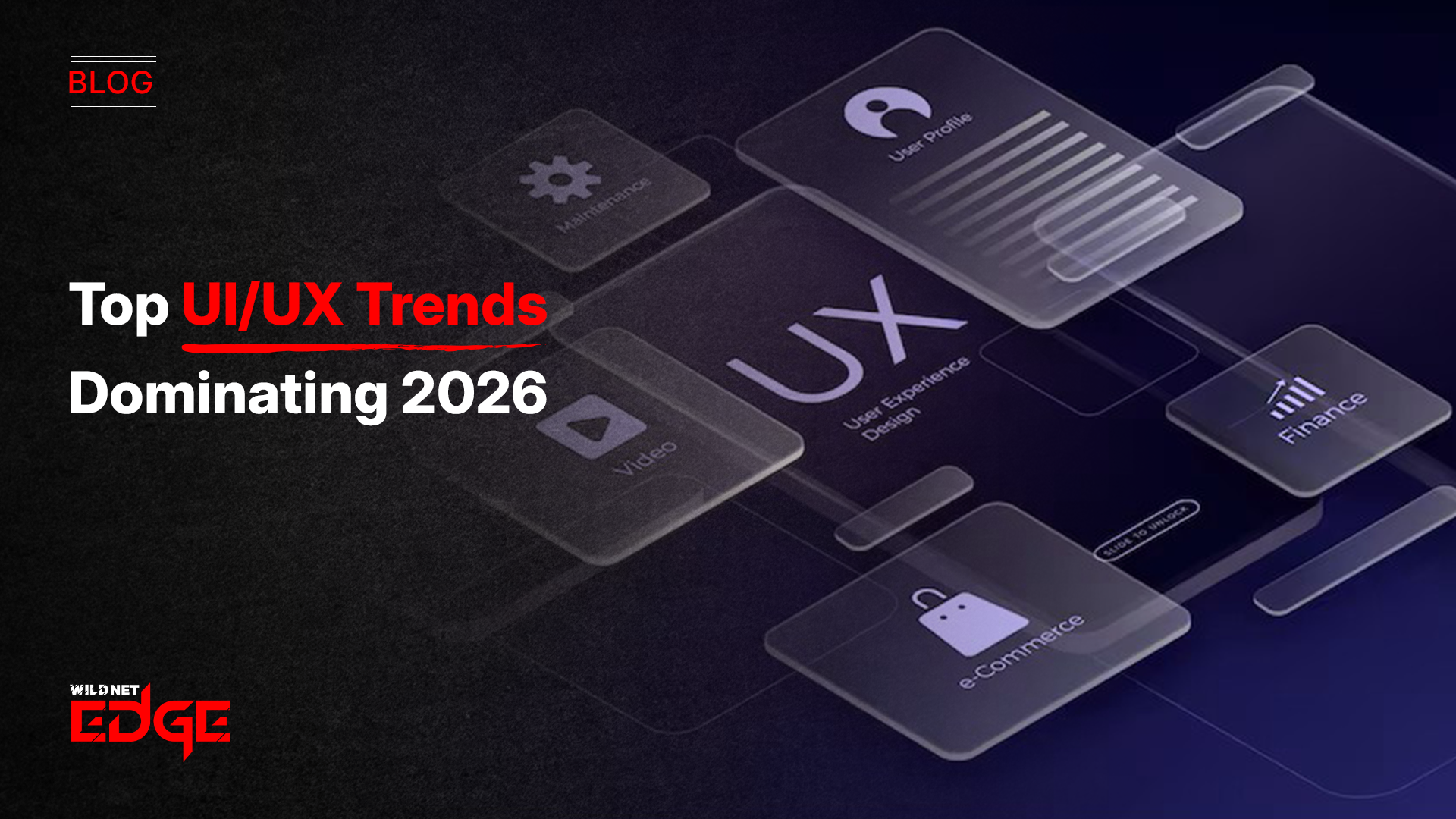
The major UI/UX trends for 2026 encompass more intelligent interfaces, greater convenience in communication, and a design process that is completely focused on humans. Spatial UI integrates 3D worlds into ordinary items, Generative UI changes the display according to user actions instantly, and Bento Grids provide easy organization. Meanwhile, designers are signing up for eco-friendly digital practices, the use of stronger accessibility techniques, bold typeface, micro and very subtle interactions, scrollytelling, and the use of sound or motion in place of text interfaces. The aforementioned trends in design for 2026 indicate a movement towards a world where digital interactions are very easy, customised, and quick.
Digital design is changing fast. What used to be about arranging elements on a flat screen is now about creating interactive, intelligent experiences that feel natural and effortless. As AI matures and devices evolve, users expect applications to think, adapt, and respond like living systems. That’s why understanding the latest UI/UX Trends is essential. These trends shape how people interact with products every day, influencing engagement, retention, and customer satisfaction. Whether you’re building a mobile app, a website, or a mixed-reality experience, staying ahead of these UI design patterns and UX best practices will set your product apart. This guide breaks down the most important design trends for 2026 and shows how each one creates better, more intuitive digital experiences.
1. Spatial UI: Breaking the Fourth Wall
Spatial computing is redefining what an interface can be. Instead of tapping on 2D screens, users interact with floating windows, 3D objects, and contextual information anchored to real space
The End of the Canvas
In spatial design, the user’s environment is the canvas. Windows, widgets, and 3D objects float in the real world, anchored by shadows and light. This requires a complete rethink of UI design patterns. Buttons need depth; typography needs to be readable against dynamic backgrounds; and interactions must be governed by eye-tracking and hand gestures rather than mouse clicks. Designers must now consider the z-axis, creating layers of information that users can physically walk through or manipulate with natural hand movements.
Glassmorphism 2.0
To blend digital elements with the physical world, “Glassmorphism” has evolved. It is no longer just a frosted glass effect; it is a dynamic material that refracts real-world light, creating a sense of presence. This trend is central to modern interface design in 2026, making digital objects feel like tangible artifacts.
Partnering with a specialized UI/UX design company is essential to navigate the complexities of this new dimension, ensuring that spatial experiences are intuitive rather than disorienting.
2. Generative Interfaces: The UI That Builds Itself
One of the most disruptive UI/UX Trends is Generative Interfaces uses AI to assemble layouts and components in real time.
How It Transforms UX
- Dashboards change based on user goals
- Apps highlight the most relevant features automatically
- Layouts, density, and content adjust dynamically
Prompt-Driven Navigation
Instead of hunting through menus, users simply type or speak what they want:
“Show my spending for last week.”
“Create a custom report.”
This changes UI from static to conversational true user experience innovation.
3. Bento Grids: The Return of Structure
Borrowed from Japanese bento boxes, Bento Grids help organize content into neatly structured, easy-to-scan blocks.
Why They Work
- Highly responsive for mobile and desktop
- Support clear visual hierarchy
- Make complex dashboards feel simple
- Work beautifully with modern interface design trends
Bento Grids are becoming a staple in UI design patterns for apps, dashboards, and eCommerce.
4. Digital Sustainability and Eco-Design
As the carbon footprint of the internet comes under scrutiny, “Eco-Design” has emerged as a critical ethical component of digital product strategy and modern UI/UX Trends.
- Dark Mode by Default: OLED screens use less energy when displaying dark colors. Dark mode is no longer just an aesthetic preference; it is an energy-saving strategy. Designers are now creating interfaces that default to dark themes to minimize battery consumption and reduce overall energy usage.
- Performance Optimization: Designers are prioritizing lightweight assets and efficient code to reduce data transfer. A faster site uses less energy. By compressing images, using vector graphics, and minimizing heavy scripts, designers contribute to a greener web.
- Green UX: Interfaces now nudge users toward sustainable choices, such as highlighting “eco-shipping” options or visualizing the carbon impact of a purchase. This alignment of UX best practices with environmental goals builds brand trust and appeals to the growing demographic of eco-conscious consumers.
5. Typography as the Hero
In 2026, typography is not just for reading; it is for branding.
- Big, Bold, and Brutalist: We are seeing a resurgence of massive, screen-filling typography. Brands are using custom variable fonts that stretch, animate, and react to user interaction. This bold approach grabs attention instantly and conveys brand personality without relying on heavy imagery.
- Kinetic Typography: Text is no longer static. Letters float, bounce, and rearrange themselves as the user scrolls. This adds a layer of delight and engagement to otherwise simple content websites, proving that modern interface design can be both functional and expressive. It transforms reading into an interactive experience, keeping the user engaged with the narrative.
6. Micro-Interactions: The Delight is in the Details
Micro-interactions have always been important, but in 2026, they are the standard for polish in interface creation and a staple of current UI/UX Trends.
- Functional Animation: Motion is a method to direct the eye. For example, when a user removes an object from the screen, the object does not simply disappear; rather, it reduces in size and moves away, thus aiding the user in grasping the change in the object’s state. Developing these patterns of UI design is essential in making an app that feels “alive” and is responsive to human interaction.
- Emotional Feedback:The button does not merely click; it transforms. The “like” does not simply change color to red; it bursts into confetti. Such minor but clever animations feedback, and thus, add a personality to the product. They are a kind of confirmation for the user that their action is registered, and at the same time, they create a feeling of tactile pleasure.
7. Accessibility First (A11y)
Accessibility is no longer an afterthought or a compliance checkbox; it is a foundational pillar of modern UX.
- AI-Powered Accessibility: The modern era has witnessed the development of new tools that automatically generate alt text, make real-time color corrections, and provide voice navigation for individuals with motor disabilities. It guarantees that digital products are accessible to all users, irrespective of their physical limitations.
- Neurodiverse Design: Some interfaces provide users with sensory sensitivities “calm modes” that remove animations and bright colors. Inclusive design broadens market access and is a pillar of UX best practices. Designing for the margins, firms produce improved experiences for every user.
8. Scrollytelling: Immersive Narrative Experiences
“Scrollytelling” turns a webpage into a story. As the user scrolls, the background changes, elements enter the stage, and data visualizations animate, marking a shift in web design toward narrative-driven UI/UX Trends.
- Engagement over Information: Instead of dumping text on a user, scrollytelling paces the information, ensuring the user stays engaged from top to bottom. It mimics the flow of a movie or a presentation, guiding the user through a curated journey.
- Interactive Data: Charts that build themselves as you scroll make complex data digestible. This technique is widely used by web design experts to create award-winning editorial and marketing sites. It transforms static reports into engaging stories that drive home key insights.
9. Voice User Interfaces (VUI) and No-UI
The best interface is sometimes no interface at all, a concept gaining traction in the industry.
- Conversational Design: Voice assistants have become capable of managing intricate multi-turn conversations thanks to the maturation of LLMs. The VUI design process is essentially a design for silence, tone, and timing, unlike the design for pixels. It is a process that needs a thorough knowledge of linguistics and human conversation dynamics.
- Gesture Control: In the modern times of spatial computing, a touch, a motion, or a look is considered an input. The user experience revolution is taking place by making these imperceptible interactions feel like ordinary and known ones. A tough job is to come up with a set of movements that would be natural to learn and nice to perform.
10. Hyper-Personalization
We are moving beyond “Hello, [Name].” Modern UI/UX Trends now demand deep adaptation.
- Dynamic Theming: Apps are adopting “Material You” concepts, where the interface color palette adapts to the user’s wallpaper or preferences. This makes the app feel like a native extension of the user’s device rather than a third-party tool.
- Behavioral Adaptation: If a user always checks the stock market at 9 AM, the app automatically surfaces that widget at that time. This level of anticipation is the hallmark of advanced modern interface design. It creates a frictionless experience where the user feels that the software is one step ahead, predicting their needs before they even articulate them.
Case Studies
Case Study 1: FinTech App Redesign
- The Challenge: A banking app suffered from low engagement due to a cluttered, spreadsheet-like interface. Users found it difficult to track their spending and set budgets.
- Our Solution: Following one of the UI/UX trends, we implemented a Bento Grid layout to modularize financial data and introduced Generative UI elements that surfaced insights based on spending habits.
- The Result: Daily Active Users (DAU) increased by 45%, and the app’s “pulse” score for visual appeal jumped significantly, validating the shift to design trends 2026.
Case Study 2: E-commerce Spatial Experience
- The Challenge: A furniture retailer wanted to reduce returns and increase online conversion. Customers were hesitant to buy large items without knowing if they would fit.
- Our Solution: We built a Spatial UI experience using WebAR. Users could place high-fidelity 3D models in their room. We focused on UX best practices for scale and lighting accuracy.
- The Result: Conversion rates for AR-enabled products doubled, and return rates dropped by 20%, saving the company millions in logistics costs.
Our Tech Stack for Modern Design
We use the best tools to bring these UI/UX Trends to life.
- Design: Figma, Adobe XD, Sketch.
- Prototyping: ProtoPie, Principle (for advanced micro-interactions).
- 3D & Spatial: Spline, Unity, Blender.
- Handoff: Zeplin.
Conclusion
The UI/UX Trends shaping 2026 combine technology, creativity, and human-centered thinking. From Spatial UI and Generative UI to digital sustainability and micro-interactions, the focus is clear: create intuitive, immersive, and meaningful digital experiences.
Design is no longer just visual it’s behavioral, adaptive, and emotional. Brands that embrace these design trends 2026 will stand out and build products users genuinely enjoy.
If you are looking for a company that gives you a faster solution, then you can partner with Wildnet Edge. Our AI-first approach enhances our mobile app design services, ensuring that your digital presence is not just beautiful, but intelligent and scalable. Partner with us to define the future of interaction using the latest design strategies.
FAQs
Q1: What is the most significant of the UI/UX Trends for 2026?
Spatial UI is the most transformative trend. It fundamentally changes the interaction model from touching a flat screen to interacting with digital objects in 3D space, requiring a complete re-skilling of designers.
No. Bento Grids are a functional evolution of responsive design. They solve the problem of organizing complex information on variable screen sizes elegantly, making them a lasting UI design pattern.
AI impacts design in two ways: it powers Generative UI (interfaces that adapt in real-time), and it assists designers by automating repetitive tasks like resizing assets or generating variations, boosting productivity.
It is driven by both legal mandates (like the European Accessibility Act) and a market realization that inclusive design expands the user base. UX best practices now treat accessibility as a baseline requirement, not a “nice-to-have.”
Scrollytelling is a design technique where the story unfolds as the user scrolls. It uses scroll-triggered animations to control the pacing of information, making it highly effective for storytelling and landing pages.
Yes. In 2026, users expect it. It reduces eye strain and saves battery life. Launching an app without a Dark Mode option is often seen as a lack of polish in modern interface design.
Yes. Many of these trends, like Bento Grids and bold typography, are about layout and style choices, not expensive technology. Tools accessible to small businesses allow them to implement modern design principles easily.

Managing Director (MD) Nitin Agarwal is a veteran in custom software development. He is fascinated by how software can turn ideas into real-world solutions. With extensive experience designing scalable and efficient systems, he focuses on creating software that delivers tangible results. Nitin enjoys exploring emerging technologies, taking on challenging projects, and mentoring teams to bring ideas to life. He believes that good software is not just about code; it’s about understanding problems and creating value for users. For him, great software combines thoughtful design, clever engineering, and a clear understanding of the problems it’s meant to solve.


 based on 1200+ reviews



