 sales@wildnetedge.com
 +1 (212) 901 8616
 +1 (437) 225-7733
















































































































 ChatGPT Development & Enablement
  Hire AI & ChatGPT Experts
  ChatGPT Apps by Industry
  ChatGPT Blog
  ChatGPT Case study
  AI Development Services
  Industry AI Solutions
  AI Consulting & Research
  Automation & Intelligence






Key Takeaways
- A well-defined Guide to Web App Development helps businesses move beyond ad-hoc software and build scalable digital systems that support growth, efficiency, and long-term ROI.
- Choosing the right types of web applications early, such as SPAs, PWAs, or enterprise web apps, prevents budget overruns and ensures the technology aligns with real business goals.
- Modern enterprise web apps are no longer static tools; they integrate automation, AI, and real-time data to actively support decision-making and daily operations.
- Following a structured, end-to-end development approach is essential for building secure, reliable web applications for business that can evolve as user needs and market conditions change.
In 2026, almost every business runs on software. Customer portals, internal dashboards, booking systems, and analytics platforms are no longer optional. This is why a clear Guide to Web App Development is essential for founders, executives, and product leaders.
Many businesses still confuse websites with web apps. A website shares information. A web app performs actions. If users log in, submit data, manage workflows, or make decisions, you are dealing with a web application.
This blog breaks down web app development explained in simple terms. It covers web app development basics, the main types of web applications, and why companies invest in enterprise web apps and custom web applications for business instead of relying only on off-the-shelf tools.
What Is Web App Development?
Web app development means building software that runs in a web browser and interacts with users in real time. Unlike mobile apps, web apps don’t need installation. Unlike websites, they allow users to create, edit, and manage data.
Every web application follows a client–server model:
- The client (browser) handles the interface users see.
- The server processes data, logic, and security.
This setup makes web applications for business accessible from any device and easy to scale across teams, locations, and customers.
Types of Web Applications
Choosing the right architecture is one of the most important steps in this Guide to Web App Development. Different business goals require different types of web applications.
1. Single Page Applications (SPAs)
SPAs load once and update content dynamically without refreshing the page.
- Best for: Dashboards, analytics tools, collaboration platforms
- Why it matters: SPAs deliver fast, app-like user experiences but require strong frontend engineering.
2. Progressive Web Apps (PWAs)
PWAs combine web reach with mobile app features. They work offline, send push notifications, and install directly from the browser.
- Best for: E-commerce, booking platforms, content-heavy apps
- Why it matters: PWAs reduce development costs while improving engagement, an important part of modern web applications for business.
3. Enterprise Web Apps
Enterprise web apps support internal operations such as finance, HR, logistics, CRM, and reporting.
- Best for: Large organizations, complex workflows, multi-role systems
- Why it matters: Enterprise web apps require strong security, role-based access, and integration with existing systems.
Difference Between Web Applications and Websites
The terms web applications and websites create confusion for people because both terms refer to different concepts, yet people use them interchangeably. The two systems use web browsers for access, yet they operate with different functions and serve different purposes.
The table below displays essential distinctions that separate web applications from websites.
| Aspect | Website | Web Application |
| Purpose | Provides information to users | Allows users to perform actions and tasks |
| User Interaction | Mostly read-only | Highly interactive (forms, dashboards, workflows) |
| Login Required | Usually not required | Often required for personalized access |
| Functionality | Displays static or dynamic content | Processes data and performs business logic |
| User Input | Limited (contact forms, comments) | Extensive (data entry, transactions, uploads) |
| Backend Logic | Minimal or basic | Complex backend and database logic |
| Examples | Company websites, blogs, and landing pages | CRM systems, booking platforms, SaaS tools |
| Security Level | Basic security | Advanced security and access control |
| Scalability | Limited scaling needs | Designed to scale with users and data |
| Business Use | Brand awareness and information | Operations, automation, and decision-making |
Web Application Development Process
The web application development process follows a clear set of steps that help teams build reliable, secure, and user-friendly applications. While details may change based on project size or technology, most professional web app development services follow this structured approach to reduce risk and ensure quality.
1. Requirement Gathering and Analysis
This stage focuses on understanding what the business needs and who the users are. Teams work with stakeholders to define goals, features, and expectations. Both functional requirements (what the app should do) and non-functional requirements (performance, security, scalability) are clearly documented.
2. Planning
Once requirements are clear, a detailed plan is created. This includes timelines, budget, resources, and key milestones. The development team also decides on the technology stack, frameworks, and overall system architecture to ensure the application can scale and perform well.
3. Design
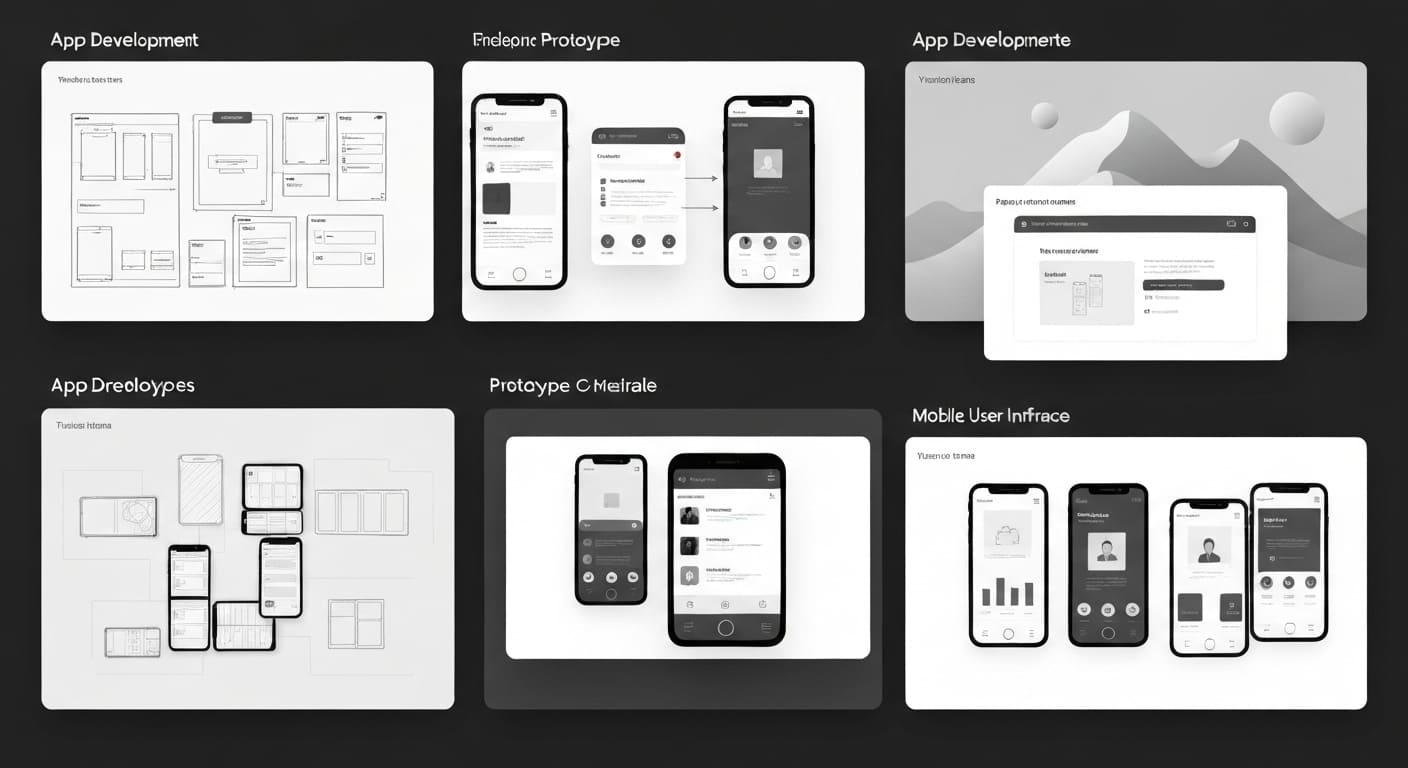
Design is about making the application easy and intuitive to use. UI and UX designers create wireframes and prototypes to show how the app will look and work. At the same time, technical designs such as database structures and system flows are planned.
4. Front-End Development
Front-end development focuses on what users see and interact with. Developers use HTML, CSS, and JavaScript to build responsive layouts and interactive elements. Frameworks and libraries are integrated to improve performance and user experience.
5. Back-End Development
The back end handles logic, data processing, and security. Developers build APIs, manage business rules, and implement authentication and authorization. This ensures smooth communication between the user interface and the server.
6. Database Development
In this phase, the database is designed and implemented based on the application’s data needs. The right database system is selected, and data storage, retrieval, and management operations are set up to ensure reliability and speed.
7. Integration
Third-party services and APIs are integrated to extend functionality. This may include payment gateways, messaging services, analytics tools, or external platforms that enhance the web application’s capabilities.
8. Testing
Testing ensures the application works as expected. Teams perform unit testing, integration testing, and user acceptance testing to catch bugs early. Performance, security, and compatibility across browsers and devices are also checked carefully.
9. Deployment
After testing, the application is deployed to a live environment. Servers, domains, and security certificates are configured. Monitoring tools are set up to track performance and detect issues in real time.
10. Maintenance and Updates
Web applications require ongoing care. Regular updates, bug fixes, and security patches keep the system stable. As usage grows, the application is scaled to handle higher traffic and new features.
11. Documentation and Training
Clear documentation helps users and administrators understand how to use the application. Training and support are provided when needed, especially for complex or enterprise systems.
12. Post-Launch Activities
After launch, the focus shifts to improvement. User feedback and usage data are analyzed to guide future updates. Marketing and promotion help attract users and increase engagement.
Web App Development Costs: What Businesses Should Expect
Understanding costs is very crucial in 2026. Web app pricing is not fixed; it depends on scope, complexity, and long-term goals. Instead of thinking in terms of a single number, businesses should plan around cost ranges and value delivered.
Key Factors That Influence Web App Development Costs
Several variables shape the final budget:
- Application Type: Simple internal tools cost less than customer-facing or enterprise web apps.
- Features & Complexity: Logins, dashboards, payments, integrations, and AI features increase effort.
- Design Requirements: Basic UI costs less than custom UX with branding and accessibility standards.
- Scalability & Security: Enterprise-grade security, compliance, and scalability add to cost but reduce risk.
- Team & Location: Costs vary based on whether you use in-house teams or external web app development services.
Web App Development Costs ROI: Is It Worth the Investment?
When businesses evaluate web app development costs, the real question is not the upfront spend, it’s the return. ROI (Return on Investment) helps measure whether a custom web application delivers measurable business value over time.
How ROI Is Generated from Web App Development
Well-built web apps create ROI in multiple ways:
- Cost Reduction: Custom apps replace multiple SaaS tools, cutting recurring license fees.
- Productivity Gains: Automation reduces manual work, saving hours across teams every week.
- Faster Decision-Making: Real-time dashboards and workflows improve operational speed.
- Scalability Without Penalties: Unlike SaaS, growth doesn’t mean higher per-user costs.
- Revenue Enablement: Customer portals, booking systems, and digital products directly drive sales.
What Your Business Actually Gains from Custom Web Apps
Custom web applications for business are built to solve real operational problems and create long-term value that off-the-shelf tools often fail to deliver. Here’s what businesses gain in practical, measurable terms:
1. Operational Efficiency
Custom web applications for business automate repetitive and manual tasks such as data entry, approvals, reporting, and status tracking. This reduces human error and removes bottlenecks from daily operations. Teams spend less time fixing process gaps and more time focusing on work that directly impacts customers and revenue.
2. Scalability Without Cost Surprises
Unlike SaaS tools that increase costs as users, data, or features grow, custom web apps scale on your terms. You control infrastructure, features, and performance optimizations. This predictable scaling model makes budgeting easier and supports long-term growth without sudden pricing shocks.
3. Full Data Ownership and Control
Custom apps give you complete control over your data where it’s stored, how it’s used, and who can access it. This is critical for analytics, compliance, and future AI initiatives. For enterprise web apps, data ownership also reduces dependency on third-party vendors and minimizes compliance risks.
4. Tailored Workflows That Match Your Business
Every business operates differently. Custom web apps are designed around your exact workflows instead of forcing teams to adapt to generic software. This leads to higher adoption, fewer workarounds, and smoother cross-team collaboration.
5. Better Security and Compliance
With custom development, security is built into the system from day one. You can implement role-based access, audit logs, encryption, and compliance requirements specific to your industry. This is especially important for enterprise web apps in healthcare, finance, and regulated sectors.
6. Faster Decision-Making
Custom dashboards and reporting tools surface real-time data that matters to your business. Instead of exporting data across multiple tools, decision-makers get a single source of truth, enabling faster and more accurate decisions.
7. Competitive Differentiation
Custom web applications for business encode your unique processes and expertise into software. This creates capabilities competitors can’t easily copy using the same SaaS tools, giving you a lasting competitive edge.
8. Long-Term Cost Efficiency
While the initial investment may be higher, custom web apps often cost less over time. Reduced licensing fees, fewer integrations, and higher productivity contribute to a stronger return on investment as the application matures.
Case Studies
Case Study 1: The Enterprise Portal
- Challenge: A logistics giant needed to unify three disparate systems into one dashboard. They referenced our strategic Guide to Web App Development.
- Solution: We built a custom enterprise web app using a microservices architecture.
- Result: Data retrieval time dropped by 90%, and the unified view saved 20 hours of manual data entry per week per employee.
Case Study 2: The B2C Booking Platform
- Challenge: A healthcare startup needed a PWA for patient booking. They needed web app development basics handled expertly.
- Solution: We developed a Progressive Web App that worked offline in rural areas.
- Result: Patient engagement increased by 40%, proving the value of choosing the right types of web applications.
Conclusion
This Guide to Web App Development makes one thing clear: building modern web applications is no longer just about writing code. It’s about creating systems that support business growth, improve efficiency, and enable better decision-making across teams.
The core principles stay the same: clear objectives, a scalable architecture, and a strong focus on user experience. When these fundamentals are in place, web applications become reliable engines for day-to-day operations.
This is where WildnetEdge adds real value. As an AI-first web app development company, WildnetEdge helps businesses design and build web applications for businesses that go beyond basic functionality. By combining strategic planning, modern engineering practices, and AI-driven development, WildnetEdge turns web apps into active systems that automate workflows, surface insights, and adapt as the business evolves.
FAQs
The most critical phase is “Discovery.” If you don’t accurately define what you are building and why, no amount of coding talent can save the project.
The cost varies. A simple MVP might cost $25,000, while complex enterprise web apps can exceed $200,000. This guide recommends focusing on ROI rather than just upfront cost.
For 2026, the standard stack involves React or Vue.js for the frontend, Node.js or Python for the backend, and cloud hosting on AWS or Azure.
According to our Guide to Web App Development, a standard MVP takes 3-4 months. Larger web applications for business can take 6-12 months, depending on complexity.
Yes. Modern development strategies almost always include AI integration for features like chatbots, predictive analytics, and personalized content.
As explained in web app development basics, a website is informational (read-only), while a web app is interactive (read-write), allowing users to manipulate data.
Custom development allows you to build unique features that give you a competitive edge, whereas SaaS forces you to adapt your business to its software limitations.

Managing Director (MD) Nitin Agarwal is a veteran in custom software development. He is fascinated by how software can turn ideas into real-world solutions. With extensive experience designing scalable and efficient systems, he focuses on creating software that delivers tangible results. Nitin enjoys exploring emerging technologies, taking on challenging projects, and mentoring teams to bring ideas to life. He believes that good software is not just about code; it’s about understanding problems and creating value for users. For him, great software combines thoughtful design, clever engineering, and a clear understanding of the problems it’s meant to solve.


 based on 1200+ reviews



