


What Is MCP And How Enterprises Use It To Connect AI To Their Systems
 By Vidit Kumar
6 Mins read
By Vidit Kumar
6 Mins read
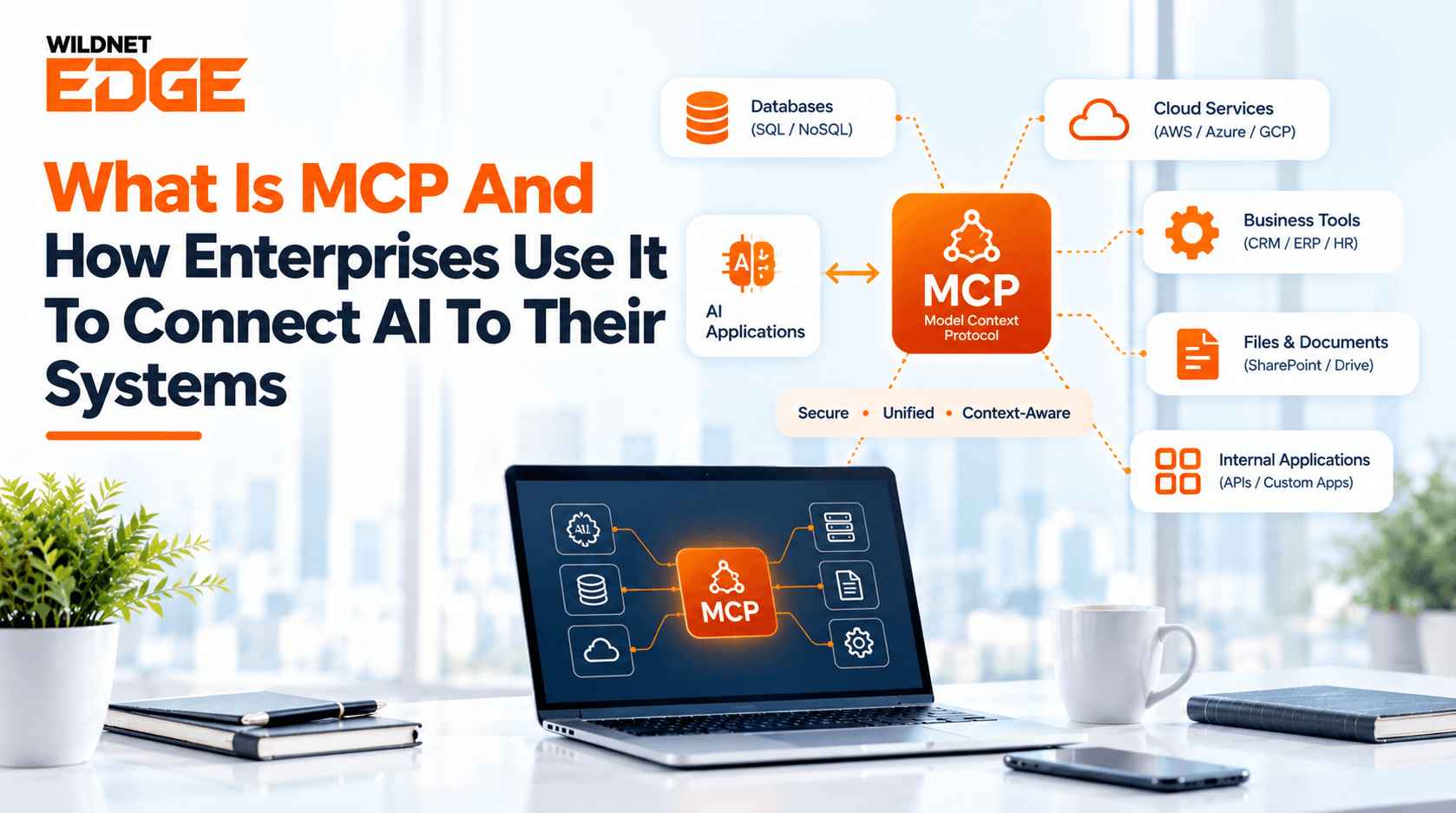
If you are wondering what is MCP, the simple answer is that it gives AI a common way to work with the tools and information a business already uses. Model Context Protocol helps connect AI applications with approved business systems, files, and tools instead of keeping AI separate from everyday work. For companies exploring AI, this can make it easier to bring useful information into one place and support employees with tasks that would otherwise require switching between several systems.
But how does it work, and where does MCP for enterprise actually fit?
What is MCP?
Businesses are increasingly looking for ways to make AI useful beyond answering simple questions. To do that, AI needs to work with the tools and information employees already use every day. Model Context Protocol (MCP) provides a common way for an AI application to connect with outside tools and information.
Think about an employee who needs information from a customer database, an order system, and an internal document. Without a connection between these systems and AI, the employee may need to check each one separately.
MCP provides a common way for AI to work with approved sources. This means businesses can bring AI closer to the systems their teams already use without having to treat every connection as a completely separate project.
What is MCP in AI?
AI becomes more useful when it can work with the information and tools businesses already use. This is where what is MCP in AI becomes relevant, as MCP allows AI assistants to work with information from approved business tools.
For example, a sales employee could ask an AI assistant to prepare a quick summary of a customer’s recent activity. If the assistant has approved access to the relevant records, it can provide a more useful response.
The key point is that businesses decide which information the AI can access. This can be especially useful for companies exploring AI Integration Services to make AI work alongside their existing applications.
What is an MCP Server?
When AI needs to work with information outside its own application, it needs a way to access those approved sources. This is where what is an MCP server becomes relevant. An MCP server acts as a connection point that makes selected information or actions available to an AI application.
It might provide access to customer records, inventory information, documents, or another business tool. The business decides what the AI can access through that connection.
For example, a company could have one MCP server for customer information and another for inventory. This gives businesses more control over what AI can use rather than opening access to every system at once.
How Does MCP Connect AI to Enterprise Systems?
The process can be easier to understand with a simple example.
Imagine a company receives a question about a delayed customer order. The information may be spread across its order system, inventory records, and customer information.
With an MCP-based connection, an AI assistant could access the approved information it needs, bring the relevant details together, and present them to the employee.
The process generally looks like this:
- Choose a business need: Start with a task where employees spend too much time finding information.
- Select the required systems: Identify where the information needed for that task lives.
- Set access limits: Decide what the AI can view or do.
- Connect the systems: Make the approved information available to the AI.
- Keep people involved: Add human checks where a decision or action could have a major impact.
This approach is particularly relevant to MCP enterprise AI integration because it allows companies to introduce AI into existing processes rather than asking employees to change everything they already use.
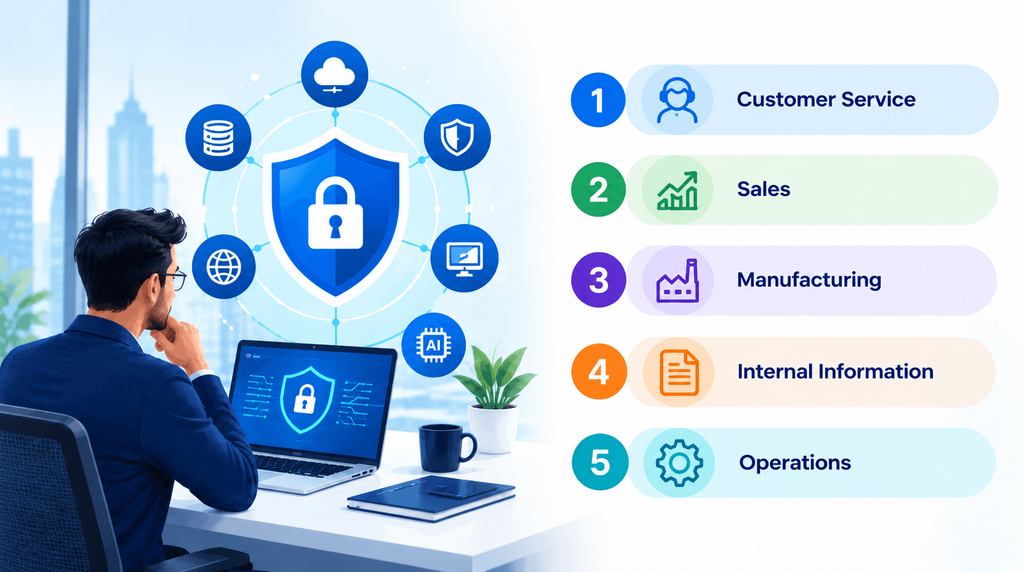
How Can Enterprise Use MCP?
There are several practical ways businesses can use MCP.
Customer Service
Customer Service teams often need information from several places before they can answer a customer. AI connected to approved customer, order, and support records can help employees find those details faster.
Sales
Sales teams can use connected AI to bring together customer activity, previous conversations, and account information when preparing for calls or follow-ups.
Manufacturing
Manufacturers can connect AI with information such as production records, inventory details, quality information, and maintenance history.
For example, a manufacturing team could use MCP in manufacturing workflows to give AI assistant access to approved operational information while keeping important decisions with human reviewers.
Internal information
Employees often spend considerable time looking for company information. Connecting AI with approved documents and internal systems can make it easier to find the right information without searching through several places.
Operations
Businesses can also use connected AI for everyday tasks such as checking records, preparing summaries, finding missing information, and supporting routine decisions.
What Are the Benefits of MCP for Enterprises?
The biggest advantage is convenience.
Instead of treating AI as a separate tool, companies can bring it closer to the systems employees already depend on.
Some potential benefits include:
- Less time searching for information
- Easier access to approved business records
- Fewer repetitive manual tasks
- Better support for employees
- More useful AI responses based on business information
- Greater control over what AI can access
However, the value depends on choosing the right business problem. Connecting AI to every system at once does not automatically make a company more efficient.
What should Businesses Consider Before Using MCP?
MCP can be useful, but businesses should plan the rollout carefully.
Start with one workflow instead of trying to connect an entire company at once. Decide what information is needed, who should be able to access it, and which actions should still require human approval.
It is also important to review information regularly. If the connected secure contains old or incorrect information, the AI may provide an answer that is not useful.
For companies considering broader ways of connecting AI to enterprise systems, the same principle applies: begin with a clear business need and expand only after the first use case proves useful.
Is MCP Right for Every Enterprise?
Not necessarily.
MCP makes the most sense when a business wants AI to work with several existing tools or information sources. A company with a simple workflow and little need for connected information may not need it.
For larger businesses, however, it can be useful when teams regularly move between different systems to complete one task.
The best question is not “Should we use MCP?” but rather “Where could connected AI remove a real problem for our employees?”
Final Thoughts
The easiest way to understand what is MCP is to think of it as a common way for AI to work with the information and tools a business already uses.
For enterprises, that can open the door to more useful AI applications without requiring teams to abandon their existing systems. The smartest approach is to start with one clear problem, connect only the information needed, keep appropriate human checks in place, and measure the outcome.
When the use case is right, Model Context Protocol can help turn AI from a separate tool into something employees can use as part of their everyday work.
FAQs
Does MCP replace existing business software?
No. MCP is not designed to replace the systems a company already uses. Its purpose is to help AI work with selected tools and information within those systems.
Can a company control what an AI assistant can access?
Yes. Businesses can decide which information and actions are made available through a connection. Access should be limited according to the needs of the particular workflow.
Can MCP be used without changing an entire company’s workflow?
Yes. A company can start with a single task or department and expand later if the results justify doing so. This makes a smaller trial a practical starting point for many businesses.
Does using MCP mean AI can make decisions on its own?
Not necessarily. A business can keep people responsible for reviewing important recommendations or approving actions. How much independence AI has depends on how the workflow is set up.
What is a good first MCP use case for an enterprise?
A good starting point is usually a repetitive task where employees spend a lot of time gathering information from several approved sources. This makes it easier to measure whether the connection is actually saving time or improving the work.


