


How to Create a Website Using AI: A Complete Guide
 By Vidit Kumar
5 Mins read
Want to create a website using AI, but don’t know where to start? You don’t need to be a designer or know how to code to build a professional website today. An AI website builder can help you create pages, suggest designs, write initial content, and get your site ready faster. But good results still depend on knowing what your website needs. This guide explains how to build a website with AI, from planning and creating pages to testing and launching.
What Do You Need to Create a Website Using AI?
Before you start, decide what your website needs to achieve. Different website types need different pages and features.
You will generally need a clear purpose, a domain name, an AI website builder, information about your business, Images, written content and a list of pages you want to create. Having these ready helps the AI create a useful first version.
How to Build a Website With AI: 7 Simple Steps
Step 1: Decide What Your Website Should Do
The first step in how to build a website with AI is deciding what you want your website to accomplish.
Ask yourself who your customers are, what you want visitors to do, what you offer, what information they need and how they should contact or buy from you.
For example, a cleaning company may want visitors to view its services and request a quote, while a photographer may want visitors to see their work and book a session.
Start with one main goal. This makes it easier to choose the right pages and features.
Step 2: Choose the Right AI Website Builder
Next, choose an AI website builder that fits your needs.
Different builders offer different features. Some suit simple business websites, while others support online stores, bookings, and forms. AI website builders can make the selection process easier by providing ready-made layouts and guided setup options.
Before choosing one, check whether you can connect your domain, what design and editing options are available, whether the site works well on mobile, whether you can add features later, and what is included in the price.
Step 3: Give the AI Clear Information
Once you’ve chosen your tool, tell it exactly what you want.
Include your business name, industry, products or services, target customers, location, preferred style, main goal, and required pages.
Don’t simply write, “Build a website for my restaurant.” Provide details such as the type of restaurant, pages required, preferred style, and the action you want customers to take.
More relevant information usually leads to a more useful first version.
Step 4: Create Your Website Pages
Now you can create a website with AI based on the information you’ve provided.
For most small businesses, essential pages include Home, About, Services or Products, Contact, and FAQs. You may also need pricing, portfolio, testimonials, booking, blog, or location pages.
Keep each page focused. Your homepage should explain who you are and what you offer, while service pages provide details and the Contact page makes it easy to reach you.
This is where automated website creation can save time because you can get a complete starting structure without creating every section from scratch.
Step 5: Review and Improve the AI Web Design
The first version is only a starting point, so review the AI web design before publishing.
Check the navigation, headings, readability, buttons, mobile layout, images, and whether visitors can quickly find important information.
Don’t keep sections simply because the tool created them. Remove anything that does not help visitors.
Your website should feel clear and natural rather than crowded.
Step 6: Review the Content and Add Your Brand
AI can help you build a website with AI, but your business should still be at the centre of the website.
Read every page carefully and check facts, spelling, contact details, prices, and service information.
Then add your own photographs, customer reviews, real examples of your work, brand story, specific service information, location and service areas, and answers to common customer questions.
Replace generic wording with language your customers actually use. For businesses that need more specific website requirements, Wildnet Edge provides AI web development services that can go beyond a standard website builder.
Step 7: Test, Connect Your Domain, and Launch
Before you launch, test everything.
Check navigation, links, contact forms, phone numbers, email addresses, images, buttons, mobile layout, and important business information.
Complete the main action yourself. If customers request a quote or book an appointment, test the process.
Once everything works, connect your domain and publish. Keep information updated as your business changes.
Can You Build a Website Without Coding?
Yes, you can build a website without coding by using an AI website builder or another no-code platform. AI-powered websites can make this process easier by helping with layouts, content, and basic website setup.
This can be useful for small businesses, freelancers, portfolios, personal websites, and simple projects.
However, a builder may not be suitable for every project. If you need unique features, customer accounts, advanced booking, complex forms, or special connections with other business tools, professional development may be a better option.
What Are the Benefits of Building a Website With AI?
There are several reasons people choose to build a website with AI.
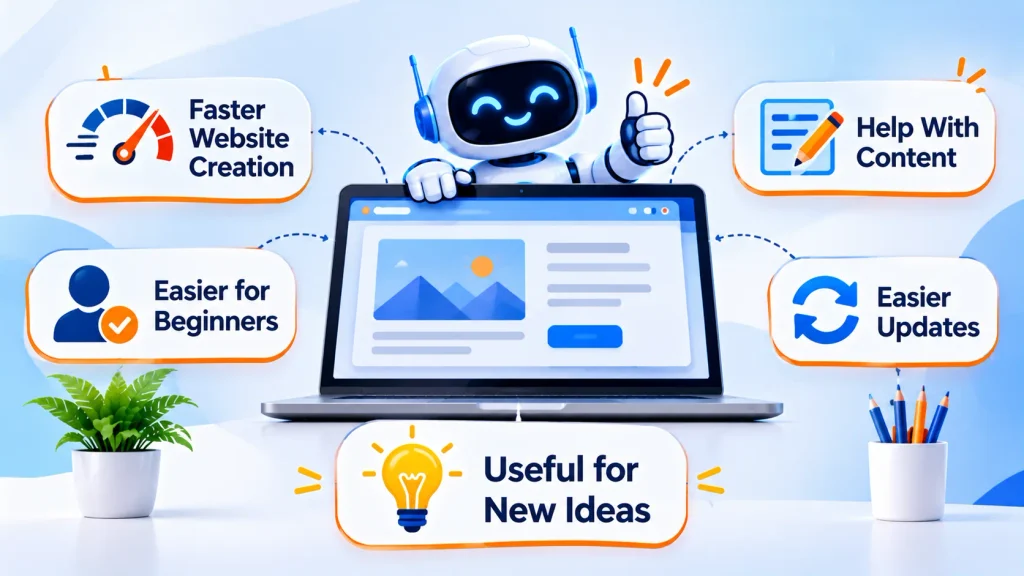
Faster Website Creation
Instead of starting with a blank page, you can create a working starting point much faster.
Easier for Beginners
You can describe what you want in everyday language rather than learning how to code.
Help With Content
AI can give you starting ideas for headings, descriptions, FAQs, and other website copy.
Easier Updates
You can continue changing your pages and content as your business develops.
Useful for New Ideas
If you’re testing a new business or service, an AI-built website can help you establish an online presence without starting with a large project.
When Should You Choose Professional Website Development?
An AI builder can work well for a straightforward website, but professional development may make more sense when you need greater flexibility.
Consider getting professional help if you need:
- Custom website features
- A unique customer experience
- Complex booking or payment options
- Customer accounts
- Connections with other business tools
- A website designed for long-term growth
Wildnet Edge can be useful for businesses that need a website built around specific goals rather than a standard template.
Final Thoughts
Learning how to build a website with AI doesn’t have to be complicated. Start by deciding what your website needs to achieve, provide clear information, create your pages, review the AI web design, and test everything before launching.
For a simple website, you may be able to handle the process yourself. If your business needs something more customised, professional website development may be a better option.
The goal isn’t simply to create a website with AI. It is to create a website that gives visitors useful information, represents your brand clearly, and makes it easy for them to take the next step.
Frequently Asked Questions
How much does it cost to create a website using AI?
The cost depends on the builder, domain, hosting, features, and whether you hire professional help. Free plans or trials may be available, while paid plans usually offer more features and control.
Can an AI website builder create an online store?
Some AI website builders support online stores, but features vary. If you plan to sell online, check whether the platform supports products, payments, shipping, and other store needs.
Can I use my own photos and branding?
Yes. Your own logo, photographs, colours, and business information can make the website feel more personal and less generic.
Will I own my website?
This depends on the platform you choose. Before signing up, check its terms regarding your domain, website content, images, and whether you can move your website to another platform later.
Can an AI-built website appear in search results?
Yes. An AI-built website can appear in search results, but using AI does not automatically guarantee rankings. Helpful content, a good user experience, clear page information, and regular updates still matter.


